Coming soon
Photograph the car before you drive it away.
Bucepha AI. Your car rental defense with image intelligence.
Take a minute in the car park, photograph the car you have just been handed, and let Bucepha read the photographs for the scratches, dents and scuffs that were already on it. The set is saved with the date and time it was taken, so when a damage charge arrives six weeks later you have something better than your word.
What comes back, and what it keeps
A photograph with each finding marked on it, what each one is and what it would cost to put right, and the dated list of every car you have photographed. The findings and the repair figures below are the ones this product produces, not a picture drawn to look convincing.
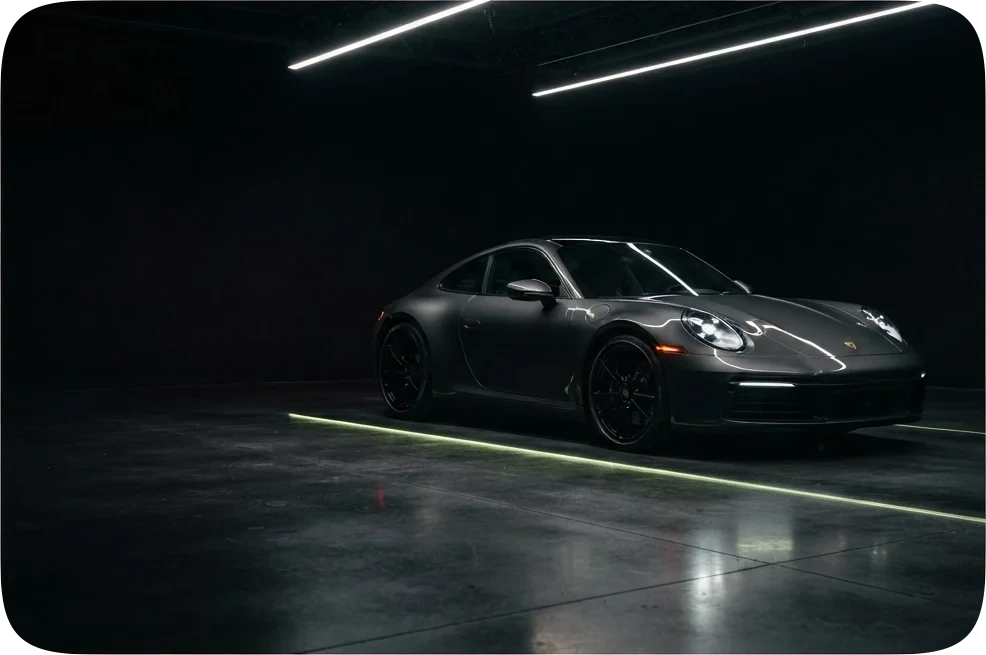
- Front bumperDeep scuffing with paint transfer across the lower valanceEst. repairs$1,700
- Front wheelCurb rash along the outer lip of the rimEst. repairs$380
- Rear quarter panelPaint reads a half-shade off the door under direct lightEst. repairs$920
History
- Hire car, Manchester Airport12 Sept · 12 photos
- Hire car, Edinburgh2 Sept · 9 photos
- Courtesy car from the garage14 Aug · 11 photos
Every set keeps the date it was taken, which is the whole point of having it.
Four minutes in the car park
- 01
Take the photographs
Walk the car and photograph it. The app guides the sequence so you do not have to know what a full set looks like.
- 02
Let it read them
Each photograph is analyzed for damage that is already on the car. You get what was found and where, marked on the photograph it was found in.
- 03
Open any photograph
Tap one to see it full size with the marks on it. Nothing is hidden behind a summary, and you can read every photograph yourself.
- 04
Keep the record
The set is saved to your account with the date and time it was taken, so it is still there when you return the car.
Every part of it, and what it does
01The walk around the car
Twelve prompts, and the shutter is never locked.
Open the camera and one quiet line suggests where to point it, in the order below. It is a suggestion. You can photograph anything at any moment, stop at four, or carry on past twelve to the scratch you know is there.
Nothing is a wizard and nothing refuses. The order exists so that a person who has never inspected a car ends up with the eight corners and sides an insurer would ask for, without having to know that.
- 01Front of vehicle
- 02Front left corner
- 03Driver side
- 04Rear left corner
- 05Rear of vehicle
- 06Rear right corner
- 07Passenger side
- 08Front right corner
- 09Interior
- 10Dashboard
- 11Wheels and tyres
- 12Any specific damage
02The reading
Read on our servers, charged as each one is read.
Nothing is read and nothing is charged until you press Generate damage report. Then each photograph goes to Bucepha and is read there; the phone keeps the pictures and none of the method, which is what lets it stay small and lets a reading improve without an update.
The charge is per photograph read, at the rate listed here. A photograph the reading cannot use costs nothing, and a photograph you delete before pressing the button was never sent.
- One photograph read
- 5 credits
- A photograph we cannot read
- Nothing
- Photographs you never send
- Nothing
03The report
Every finding on the photograph, numbered and priced.
A finding is a mark on the picture where the damage is, a number, a severity, and an estimated repair figure. The same dent seen from three corners is one finding, not three, because the report is meant to be read at a counter by someone with no time.
Until the photographs have been read, the report screen shows a sample and says in so many words that it is a sample and not a reading of your car.
Front bumper
The number on the card is the number on the photograph, so the sentence and the mark are never about different dents.
Est. repairsfrom the shared demo, never typed- Cosmetic
- Needs repair
- Structural
04History
The dated set, which is the whole point.
The app exists for a moment weeks after the drive: a charge for a scratch that was already there. Every car you photograph is kept as a set with the date it was taken and the report that was read from it, under the car's name, so the answer is a tap away rather than a search through a camera roll.
- Kept with it
- The date and time each photograph was taken
- Counted
- How many photographs, and how many were read
- Removed only by you
- A car is deleted when you delete it, and it asks first
05What it will not do
A photograph cannot see everything, and the app says so.
It marks what a photograph can show. It does not guess at what one cannot, and it does not call itself an inspection. Until the photographs have been read it says so on the screen, in plain words, instead of showing a figure that was never measured.
- Frame damage under the panels
- A flood in its past
- A tired engine
06Your account
Sign in with a code sent to your email.
There is no separate sign-up for the phone. Enter your email, type the code it sends, and you are in. The credits are on the account, which is where the reports are charged from.
The same account as the website: one email, a one-time code, no password to remember at a rental desk. Payments inside the app are not switched on yet, and the app tells you that on its plan screen rather than showing a button that does nothing.
When to open it
Any moment you are handed keys to a car that is not yours, or hand them back.
Picking up a hire car
At the desk, in the airport car park, in the rain, with somebody waiting behind you. This is the moment the whole app exists for: four minutes now against a charge you cannot argue with later.
Handing it back
Photograph it again when you return it, especially if nobody comes out to check it with you. Two dated sets either side of your trip is the comparison anyone assessing a claim would want to make.
A car club or a shared car
Cars that several people drive collect damage nobody admits to. Photographing at the start of your booking puts a time on what was there before you unlocked it.
A borrowed or courtesy car
A friend, a neighbour, a garage loan car while yours is in. The awkward conversation afterwards goes better when both of you can look at the same photographs.
After something happens
If the car is damaged while it is with you, photograph that too. A repair estimate against dated photographs is a stronger position than a description written from memory.
Before you buy privately
Somebody selling a car on a driveway will let you walk round it. Reading the photographs afterwards, calmly, is easier than deciding on the spot.
Why the photographs matter
A charge arrives long after the car is gone
Damage charges turn up weeks later, in writing, about a car you handed back and cannot go and look at. Disputing one means proving what the car looked like before you drove it, and a handful of hurried shots in your camera roll is a weak thing to argue with: no order, no sequence, nothing saying what was already wrong and nothing saying when you took them.
What an insurer is actually asking
Whoever assesses a claim is trying to settle one question: was this damage there before, or did it happen on your watch. They settle it on evidence and dates. A complete set of photographs stamped with the moment you collected the car answers that question directly, and answering it early is what keeps a charge from becoming a claim, an excess and a premium that goes up at renewal.
Marked damage, not a verdict
The app reads each photograph and marks what it finds on the photograph itself, so you can see the scuff rather than take our word for it. It does not decide who is liable, it does not talk to your insurer and it does not file anything on your behalf. It gives you the record and a plain account of what was on the car when you found it.
It is yours, and it keeps
The set stays on your account rather than only on the phone that took it, so a lost phone or a full camera roll does not take the evidence with it. Months later, when somebody asks you to account for a mark on a bumper, you can still open the photographs from the morning you collected that car.
On iPhone, and on Android
One app, built once for both. The same account, the same reading, the same dated set, whichever phone is in your hand at the desk.
iPhone
Shoot the way your iPhone already shoots.
- HEIC, as taken
- An iPhone saves photographs as HEIC by default. The app sends them exactly as the camera wrote them, with no conversion on the phone and nothing lost on the way.
- One permission
- The camera asks for access once, with the Allow camera button on the first screen that needs it. There is no location prompt and no address book prompt, because the app has no use for either.
- Read on our side
- Nothing is analyzed on the handset. Each photograph is read on our servers, so a four-year-old iPhone gets the same reading as a new one, in the same time.
- Sign in without a password
- Your email, then the code it sends you. The same account as the website, on as many phones as you carry.
Android
The same app, not a second one.
- One codebase
- iPhone and Android are built from the same code, so a screen that changes on one changes on the other the same day, and the report you read is the same report.
- JPEG, PNG or WebP
- Whatever your camera app writes, the app sends as it is. The reading does not care which phone took the picture.
- The same account
- Sign in with your email code on an Android phone and the cars you photographed on an iPhone are there, with their dates.
- Where it will be
- Google Play, when it is ready. The badge below is Google’s official artwork and is not a link yet, because there is nothing to link to.
The other half of Bucepha
This app documents a car you are about to drive. The Bucepha browser extension does the reading before anyone drives it at all: open a vehicle listing and it reads the photographs on the page and prices what it finds, beside the listing. Same account, same reading, two moments.
Coming soon
Not on either store yet. These are where it will be, and there is no date to give you that would be worth reading.


Coming soon